GUI inside and out
Not a wrapper around a terminal. Conversations, tool calls, thinking and prompts are drawn as native interface: bubbles, cards and buttons you tap to answer. Want the raw output? Switch to the terminal view anytime.
Herdsman
macOS · Windows · iOS · Android
Herdsman is the native GUI client for herdr. Wherever Claude Code, Codex or pi are running, follow their conversations and answer their questions from your Mac, Windows PC, iPhone or Android. Scan once to pair your phone, then check the screen or take over the computer whenever you need to.
Not a wrapper around a terminal. Conversations, tool calls, thinking and prompts are drawn as native interface: bubbles, cards and buttons you tap to answer. Want the raw output? Switch to the terminal view anytime.
Manage Claude Code, Codex, pi and more side by side. See who is working, who is waiting on you and who is done in a single list, grouped by computer and workspace.
Show the QR code on your computer and scan it with your phone. No sign-up on the phone. Same network connects directly; elsewhere it finds a way through automatically.
Away from your desk? Glance at the screen from your phone, then tap, drag and type as if you were sitting in front of it. When an agent needs a dialog clicked, handle it from the couch.
macOS, Windows, iOS and Android, each a native app that follows its own platform design. On iPhone it is tailored for every Duo posture.
When an agent asks a question or finishes, it moves to the top and you get a heads-up. Permission checks, multiple choice, continue or not: answer right on the card.
These are real Herdsman screens on iPhone and Mac.
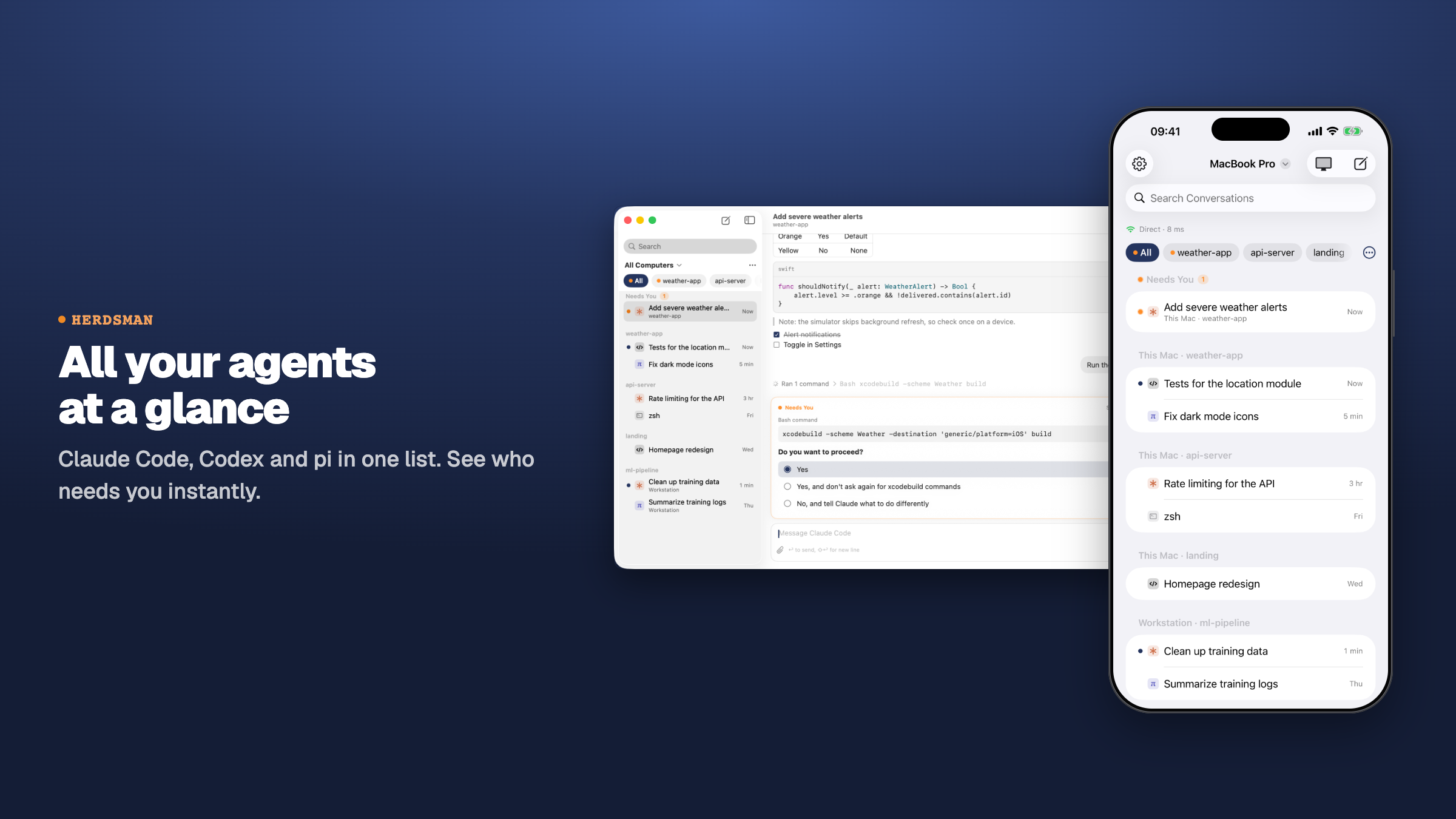
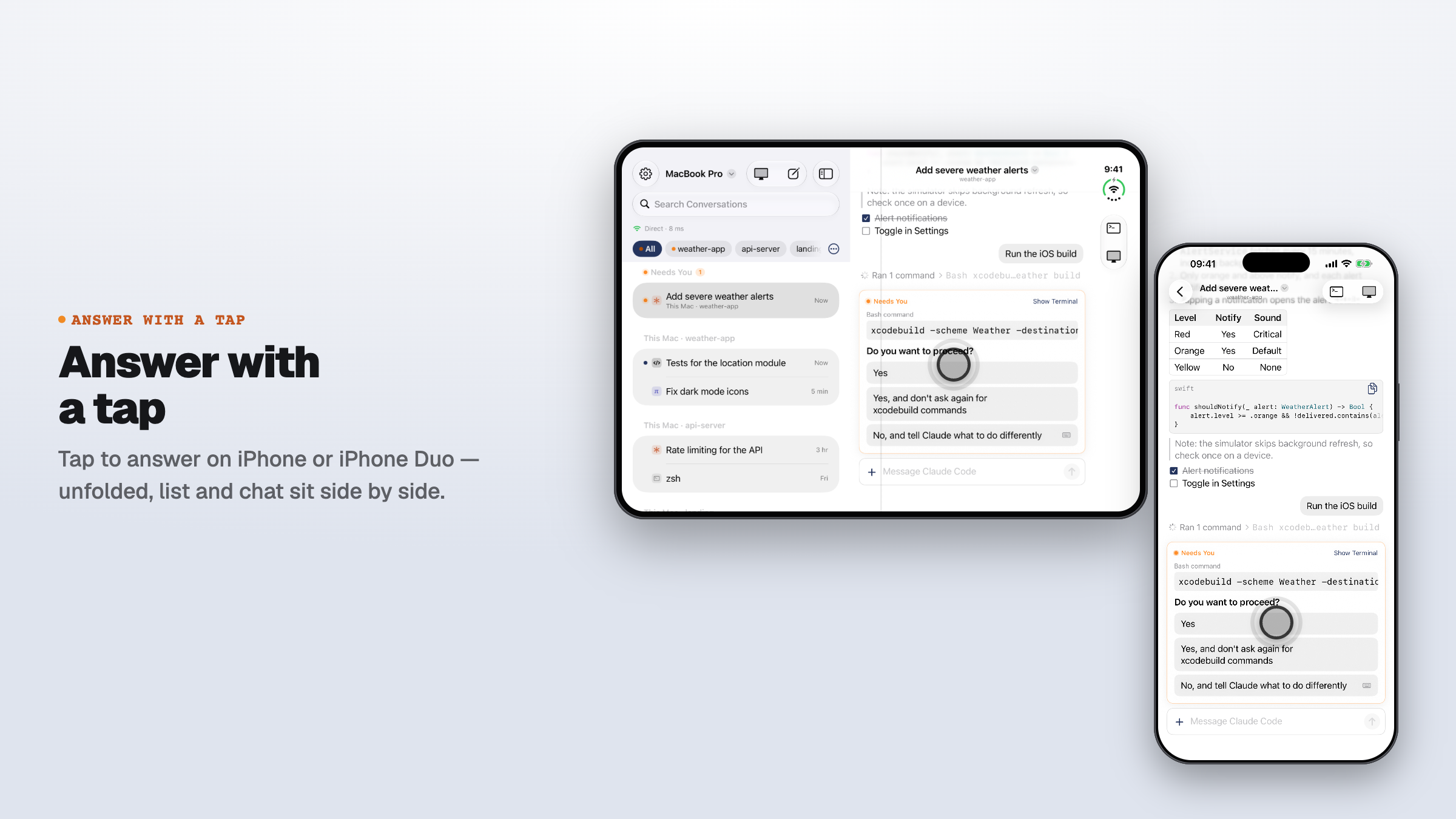
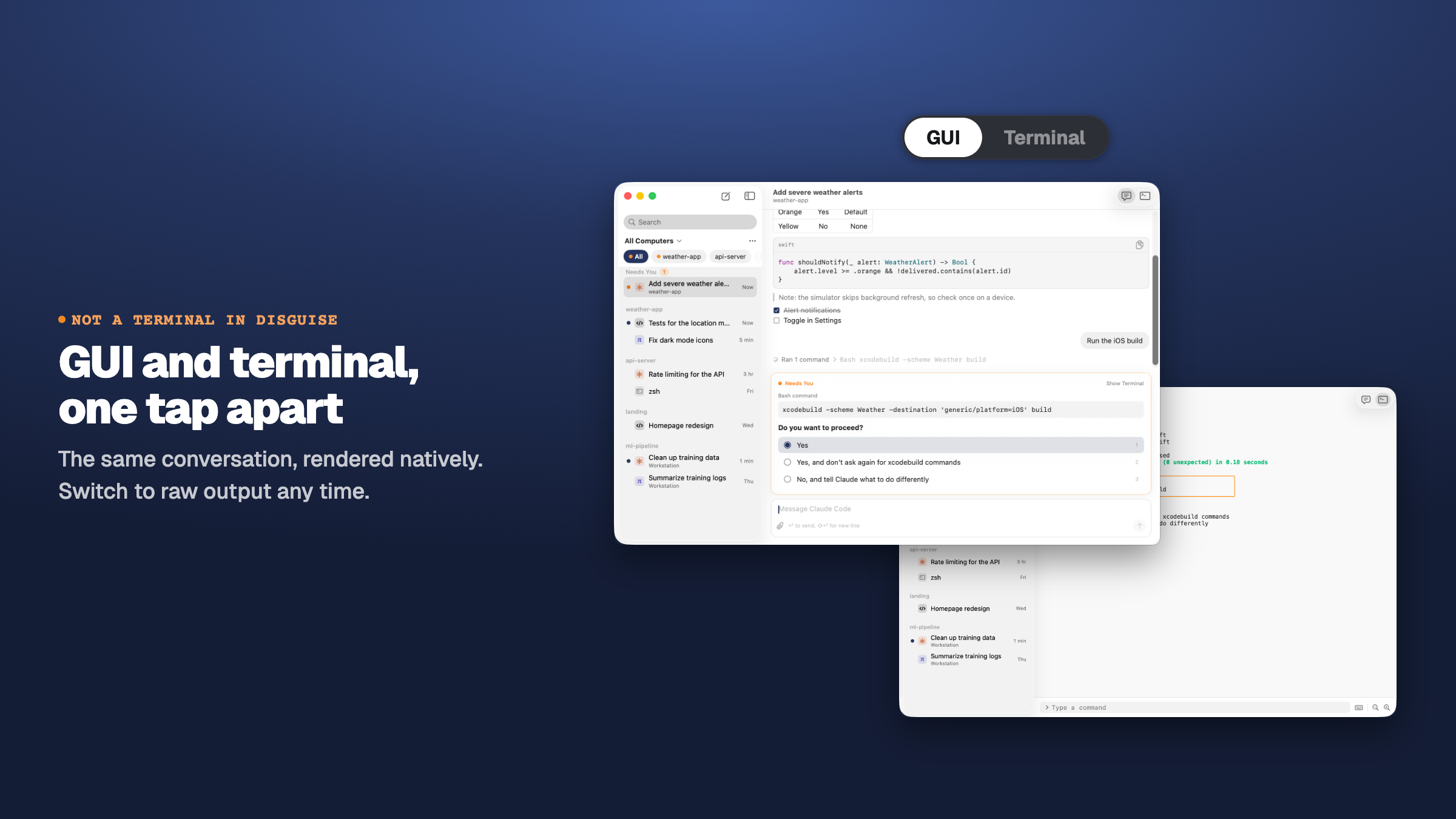
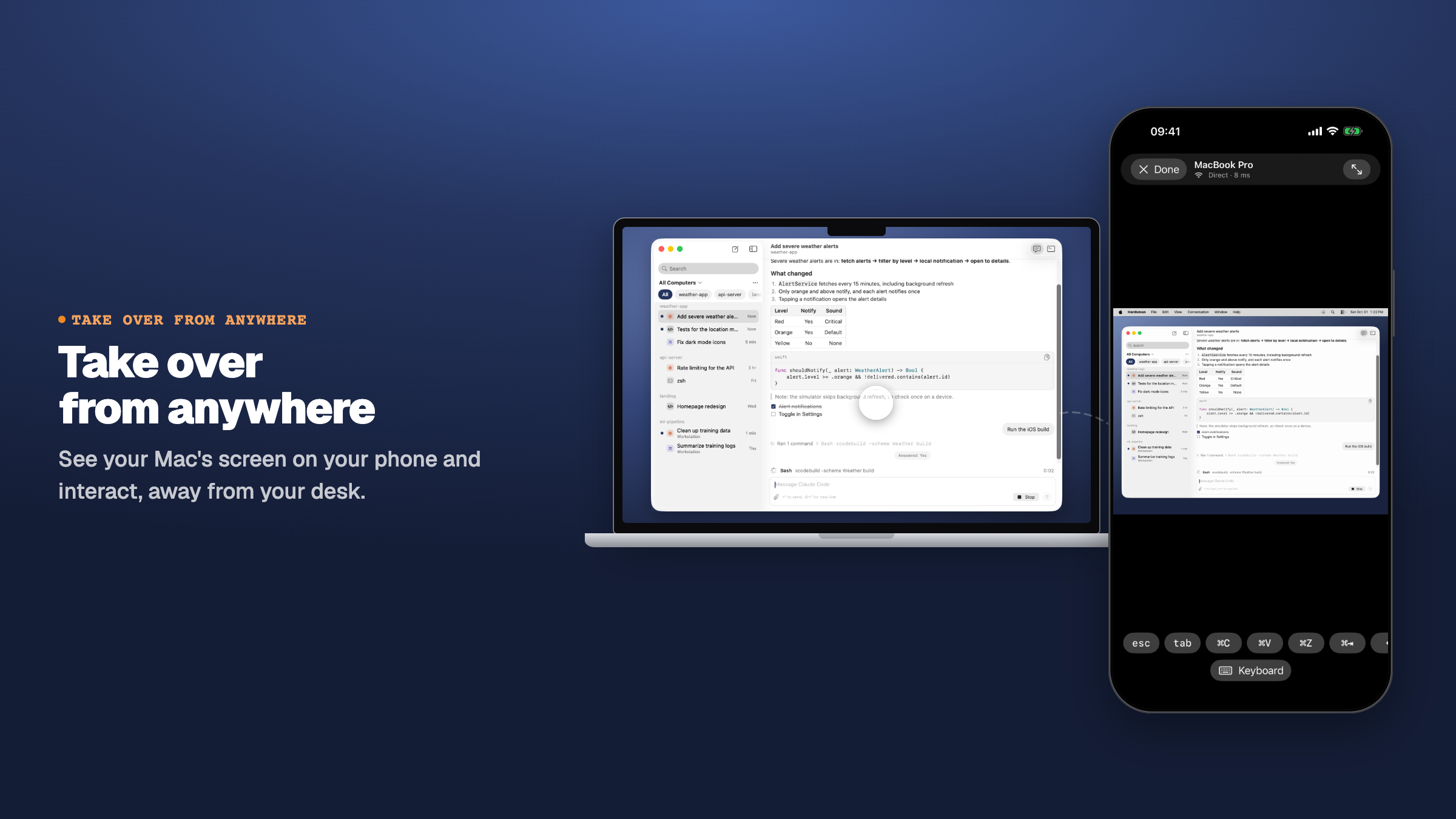
Herdsman on a Mac and an iPhone. Every button works, you can type in the message box, and both stay in sync. The data is for demo only.
This is a simulated demo with sample data.
All your agents, at a glance.